How to Shoot a Property Video Tour That Gets More Leads in Dubai
Dubai has around 40,000 registered brokers today, plus another 20,000 operating without RERA cards. Every single one of them is competing for the same buyers and tenants. That means you have to work harder, smarter and faster than ever before to get noticed.
How the Game Has Changed
Back in the early 2010s you had two tools: PropertyFinder and Bayut. You logged into your CRM, uploaded 10 to 15 pictures from an HD camera, added a 50-character title and a 300-word description and away you go. There was no AI, so you had to actually write something compelling. But your chances of being seen were far higher, with less than half the agents in the market compared to today.
If you want to stand out now, you have to do so much more and it isn’t a choice anymore. It is a hard job, and sometimes all your work goes unrewarded when a deal falls through at the last moment. But if you are going to play the game, make sure you are using every tool available to you.
Why Video Works
Buyers and tenants respond to stories and context. Now more than ever they study data, compare listings, speak to half a dozen brokers, watch videos and browse properties for days before making a decision. The surest way to stand out is to shoot videos.
Less than 6% of listings on the major portals include video tours, even though video is proven to generate 50% more leads than images alone. Viewit has been doubling down on this for the past few years and here is what we have learned.
How to Tell a Story Through a Property Video
Hook Them in the First 10 Seconds
You have to grab the viewer’s attention within the first 5 to 10 seconds. Showing your face during the walkthrough increases your chances of being taken seriously by five times. Establishing a connection with your audience matters more than anything else.
Match the Narrative to the Listing
The property you are trying to sell or rent is not for everyone. Find a narrative that fits.
If you are renting a 4-bedroom villa in Meadows 5, speak to a family. Talk about nearby amenities for children, how far the park is, whether the community pool is clean and safe. If you are renting a 1-bedroom in Burj Vista, your audience is likely an executive working remotely or based in DIFC. Lead with ease of access to the building, nearby coffee shops and restaurants, and health and fitness options in the area.
Full Walkthrough vs. Teaser
If the property is meticulously furnished, 10 to 12 short cuts as a teaser can work. But at Viewit, our goal is to solve the problem of viewing a property before you physically visit it. A full, uninterrupted walkthrough always makes more sense. It allows agents to showcase the home outside of odd hours or when access is limited. It answers any questions a buyer or tenant might have about layout, flow or fixtures. Most importantly, it positions the agent as someone who genuinely cares about their listing.
15 Tips for Shooting a Property Video Walkthrough
Here are some quick tips on how to shoot a property video tour that gets more leads. This guide covers the walkthrough itself, not agent-to-camera shoots, we will cover that in another blog post.
- Use a gimbal and connect it to your phone via bluetooth.
- if you don’t have a gimbal use the ninja walk; heel to toe, knees bent and slow walking to reduce idle sway.
- Always shoot videos in 0.5 or fisheye lens and increase frame rate to 60 FPS.
- Make sure the spirit level is aligned (the yellow line to show you are perfectly horizontal).
- Make sure all lights are on. Switch on all lamps, lighting panels and ambient lighting.
- Make sure the place is clean and close all toilet lids and straighten up bathrooms.
- Remove all clothes or personal items from all rooms.
- Open all curtains and if there is still a lack of light, open the window to allow natural light in.
- Try and do one seamless walkthrough without stopping.
- Open all doors and balconies so you do not stop while filming.
- Return to the living room when done.
- When editing, speed ramp the video to be no more than 1 minute 30 seconds to 2 minutes max.
- In editing, blur out all personal images, license plates, IDs or pictures and add brightness filters to enhance the video.
- Add music, transitions and annotations.
- Add fade in and fade out to the music and video.
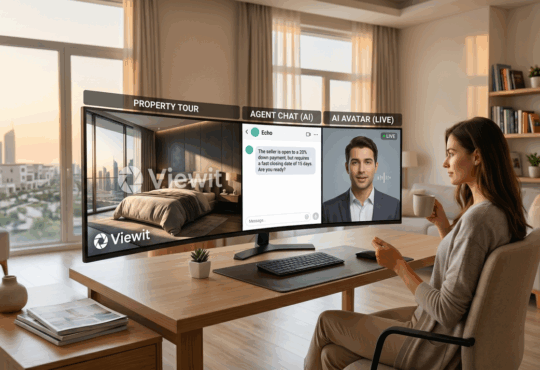
We built Viewit Studio to do all of this for you. It is an AI video editor built specifically for real estate that turns raw footage into a professional property video in minutes. Try it at https://ai.viewit.ae/ and see the difference on your next listing and as always, keep checking Viewit for the latest tips and tricks in real estate in Dubai and beyond!
Subscribe to our newsletter to stay up to date about the A to Zs of Dubai!